

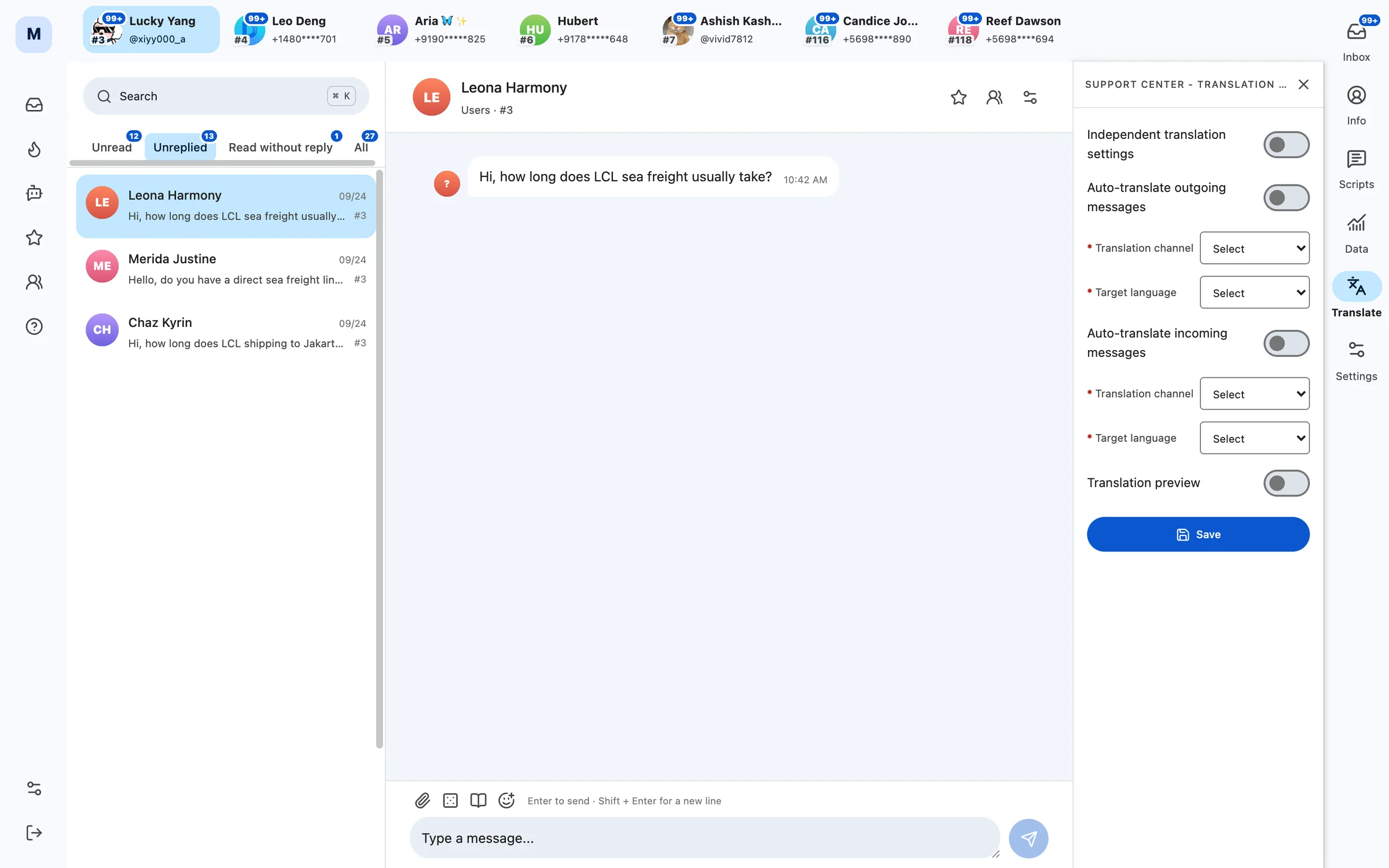
Many accounts, one inbox
The work-account bar at the top lists the accounts assigned to the current agent, each with its unread count; click one to switch to its conversations. One agent can look after several accounts at once without signing in and out.
Work through conversations by queue
- Unread: new messages nobody has looked at yet.
- Unreplied: conversations where the customer wrote and we have not replied.
- Read, no reply: the other side has read our message but not replied — good candidates for a follow-up.
- All: every conversation of this account, searchable with ⌘K.
When tasks such as AI Auto DM reach a conversation that needs a human, it lands in the Pending entry, and an agent can click in and carry on.
Saved replies and translation
The right-hand toolbar has Info, Replies, Data, Translation and Settings. Saved replies come as personal and organization sets, can be organized in folders and inserted directly when replying.
In the translation settings you can switch on auto-translate for sending and for receiving separately, each with its own engine and target language, so you can talk to customers in other languages without jumping to another translation tool.
Management and performance
Admins maintain agents, organization scripts and auto replies under the Organization menu of the workspace. The customer service card in Statistics Detail shows conversations handled, the 5-minute response rate, average first human response time and today’s unreplied count, making service quality easy to assess.